
Domainbar: SSL & Domain Watch
Never lose a domain, certificate or DNS record to a missed renewal or a silent change.
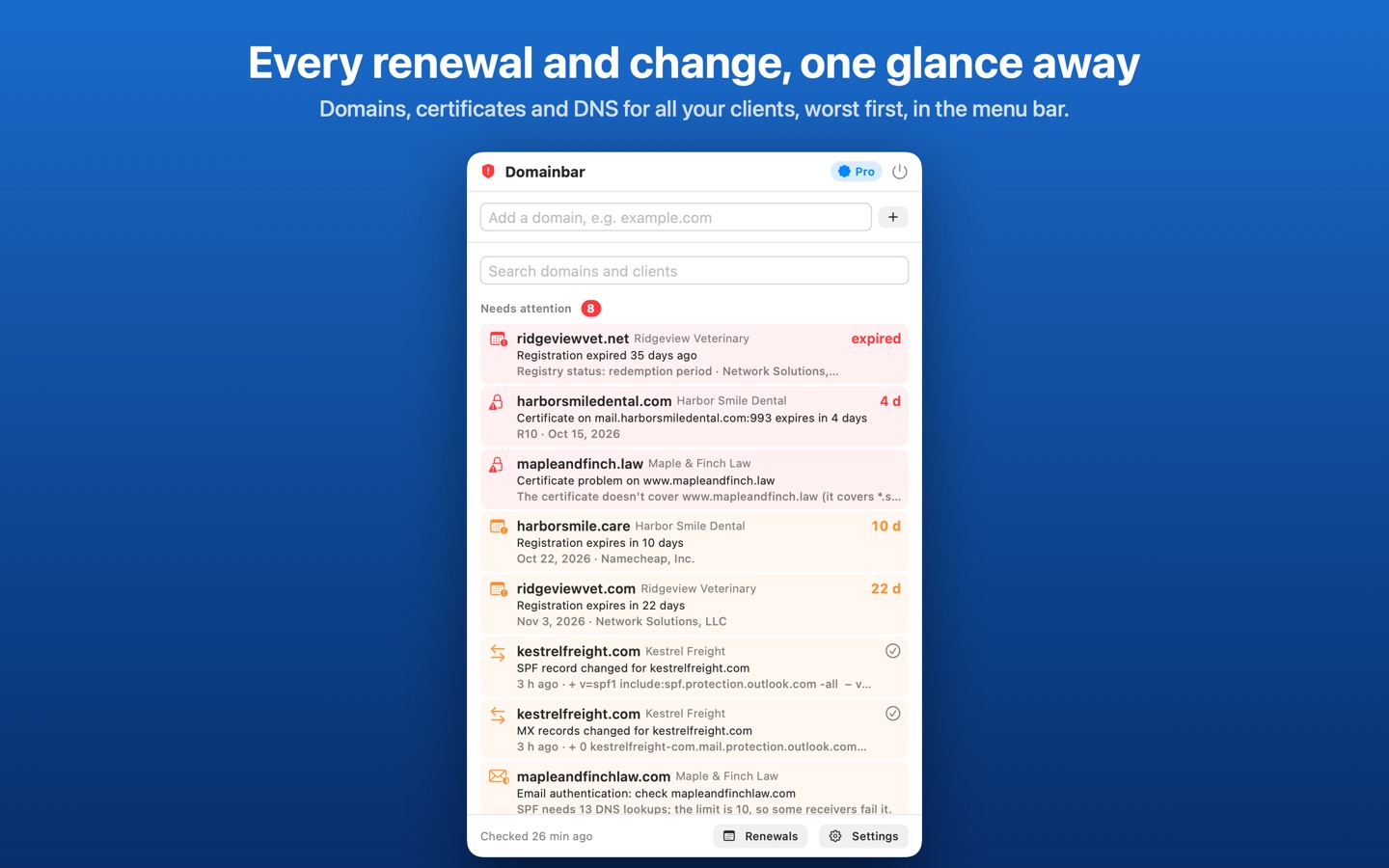
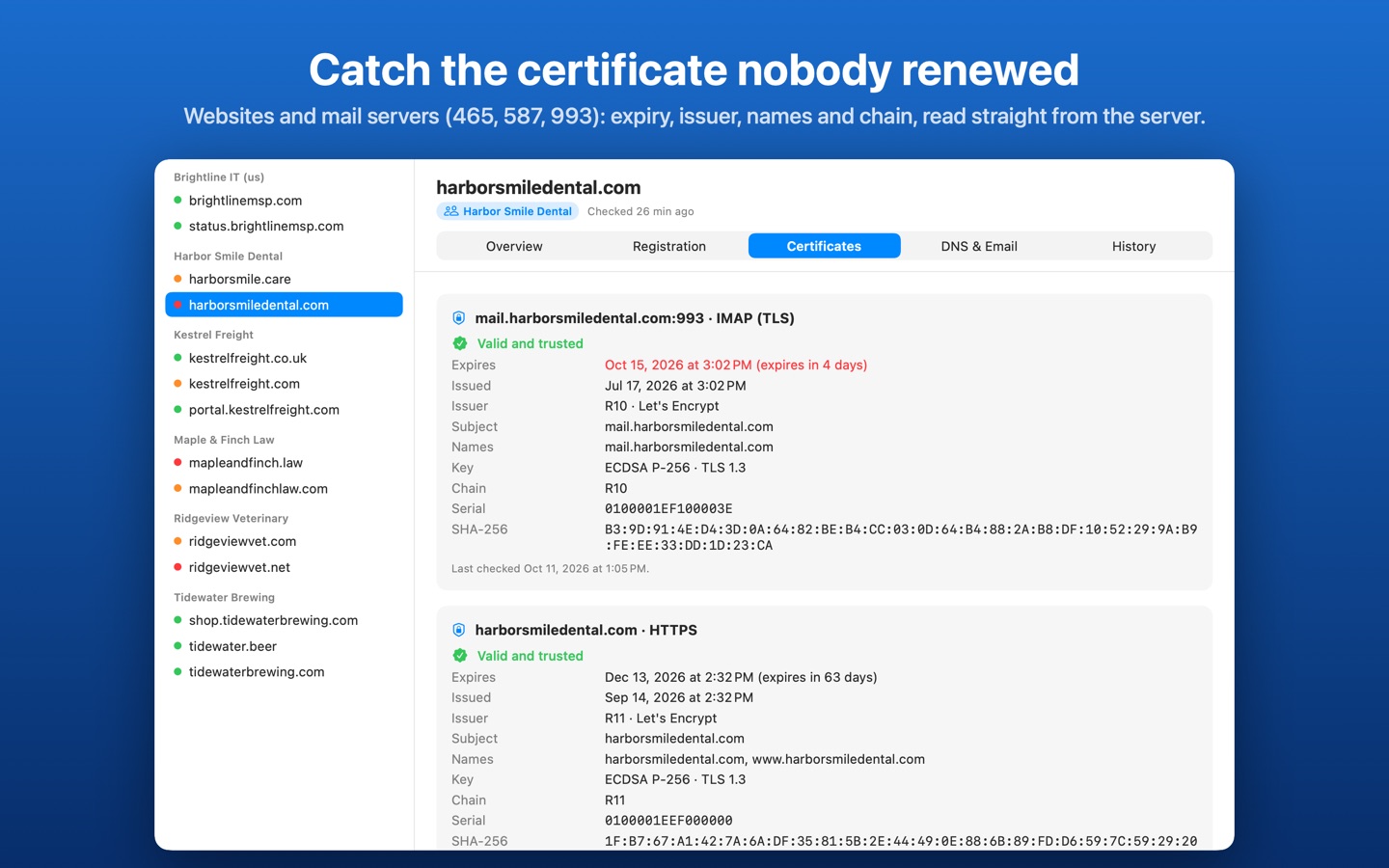
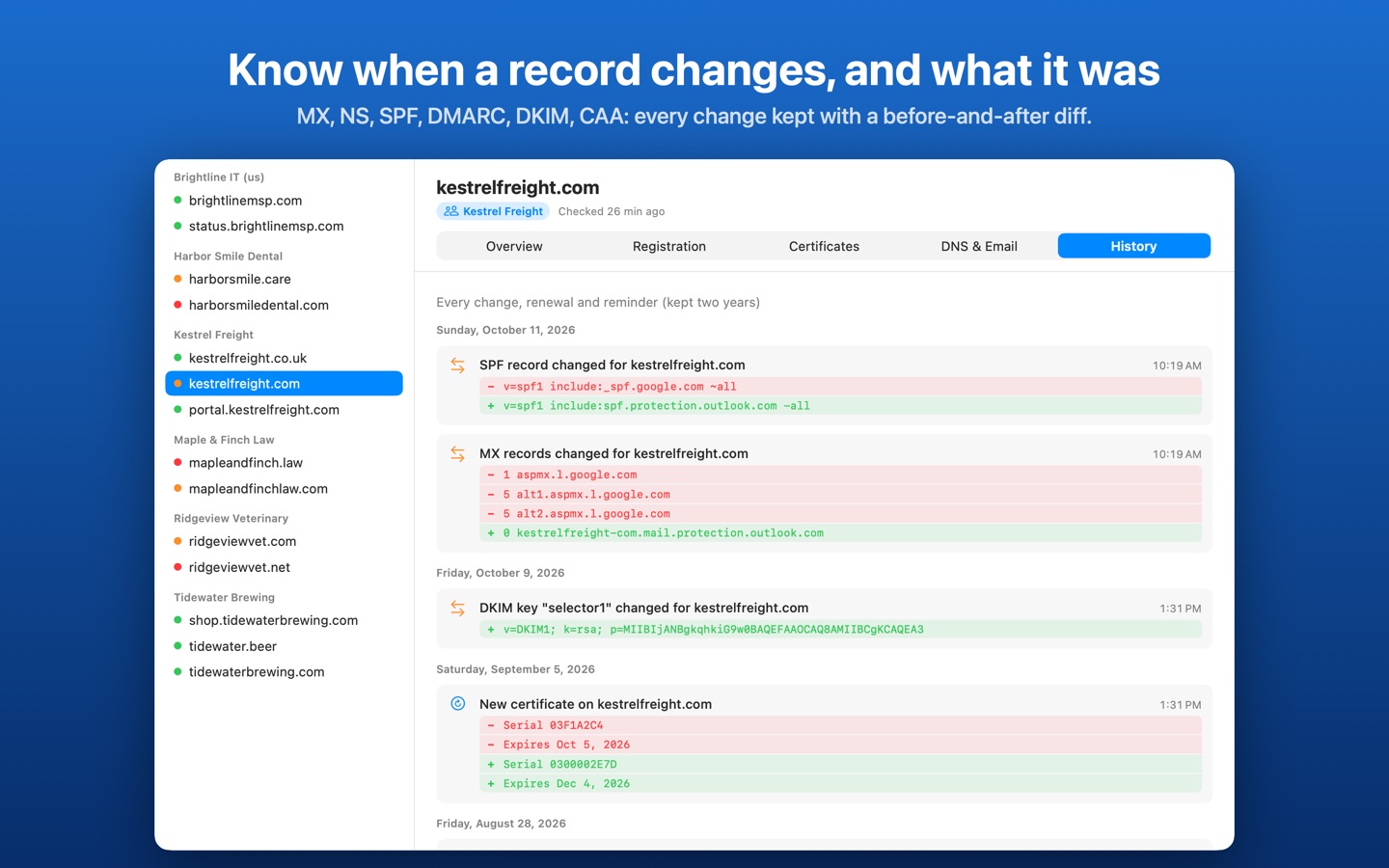
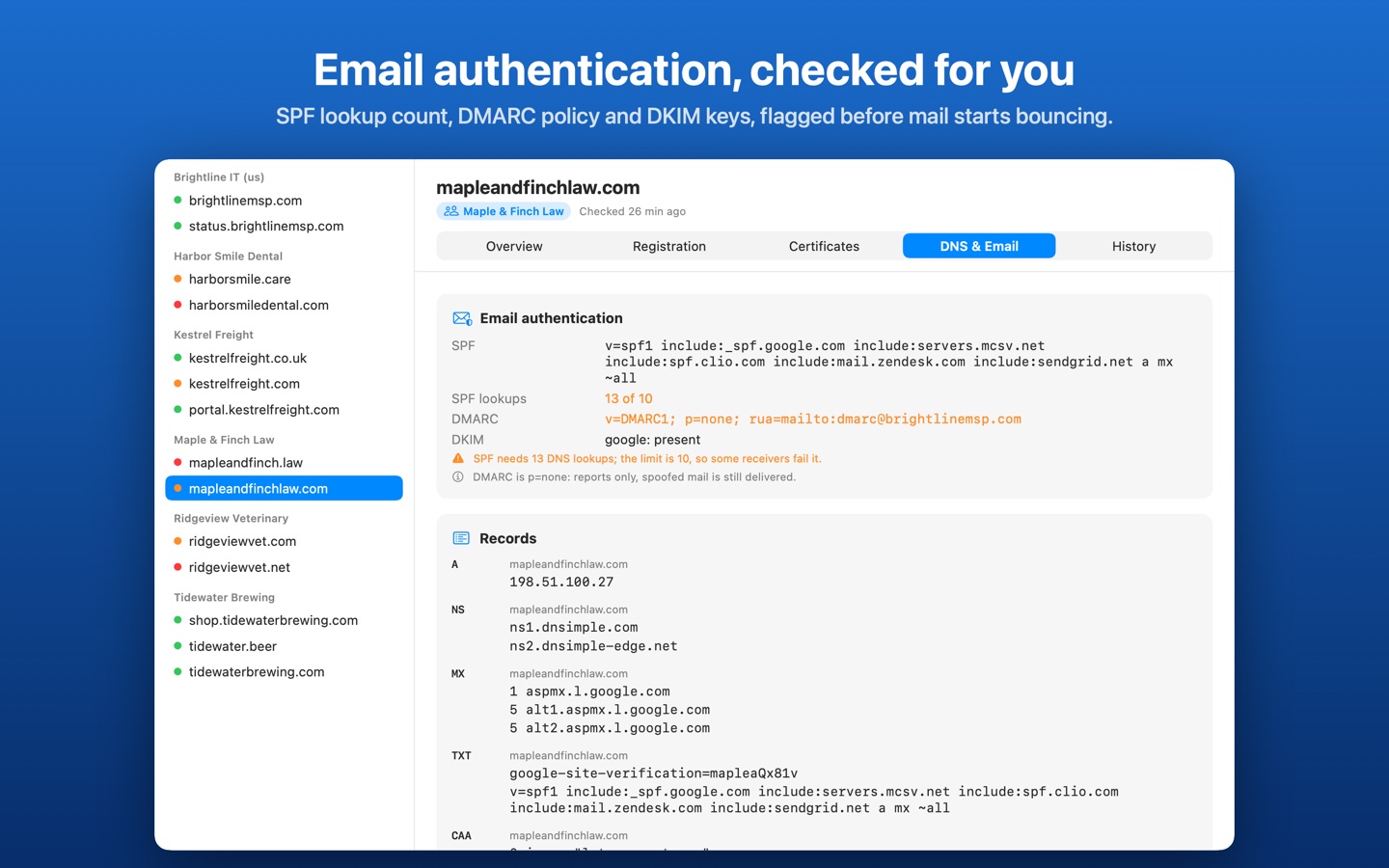
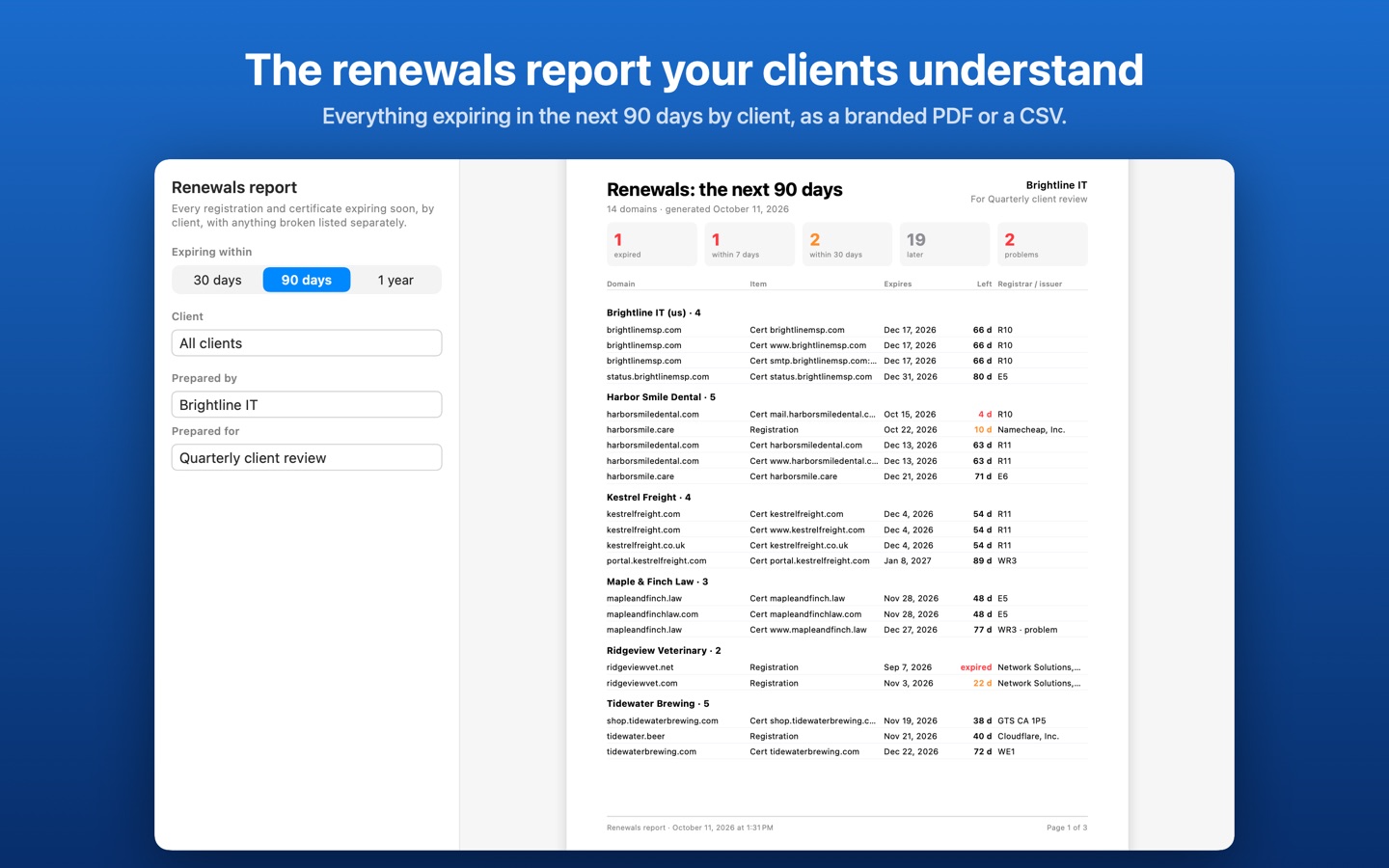
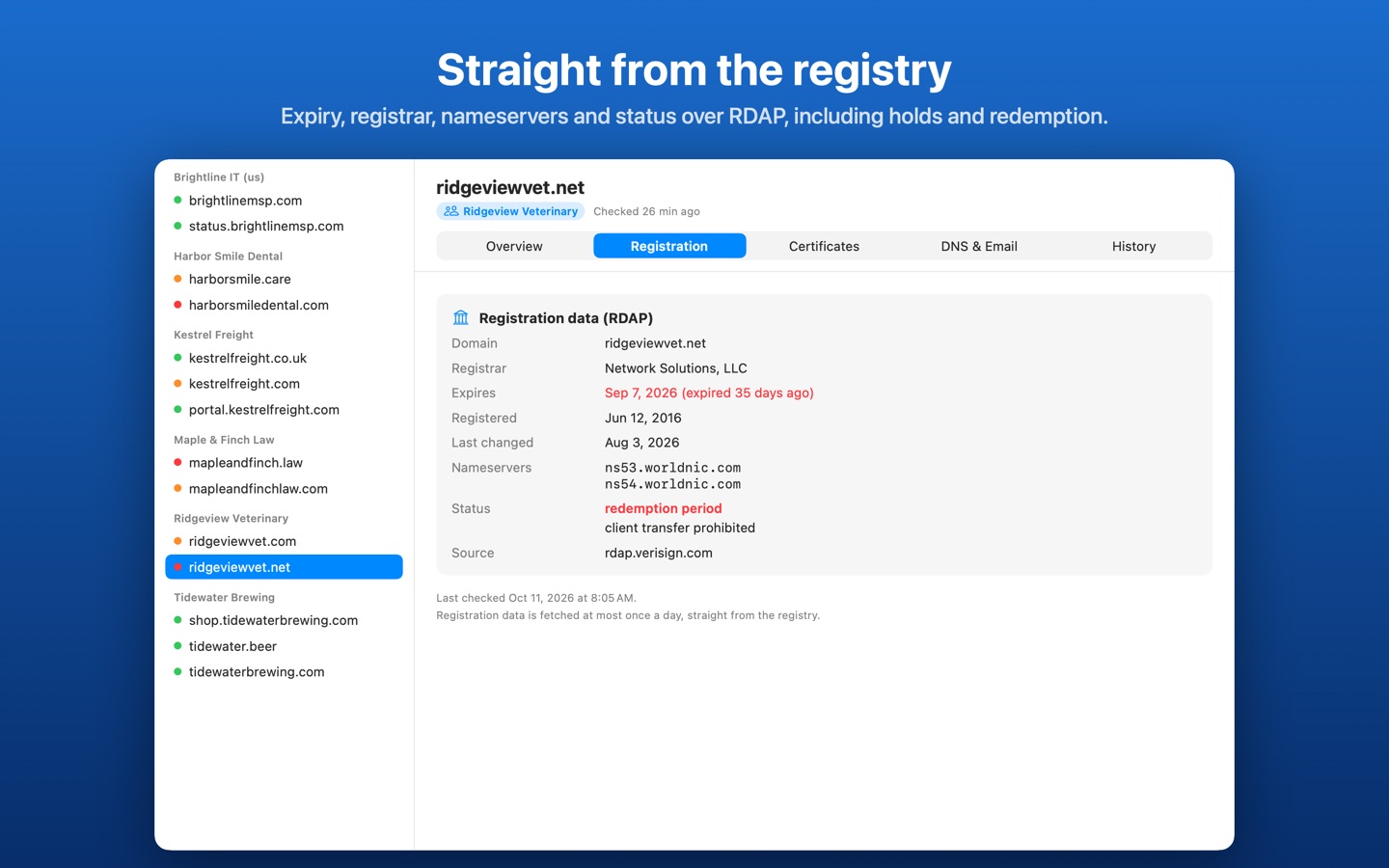
Domains lapse because the renewal email went to someone who left. Certificates on mail servers expire on a Saturday. An MX record changes and nobody notices until mail stops. Domainbar sits in your Mac's menu bar and watches for all three: registration expiry and status from each registry, certificates on your websites and mail servers, and every DNS and email-authentication record, with the history of what changed.
It's built for IT firms and MSPs who look after dozens of client domains, for agencies and developers with sites on many registrars, and for anyone with a handful of domains and a renewal email they can't trust to arrive.
- A shield in the menu bar: amber under 30 days or after a change, red under 7 days or on a problem, with a count
- Registration expiry, registrar, nameservers and status straight from each registry over RDAP, including holds and redemption
- Certificates on websites and mail servers (465, 587 with STARTTLS, 993): expiry, issuer, names, chain and host-name match
- A, AAAA, NS, MX, TXT, CNAME and CAA records, SPF, DMARC and DKIM, with every change kept as a before-and-after diff
- Email-auth health: SPF lookups over 10, missing DMARC, p=none, missing or revoked DKIM keys
- No false alarms from a dropped connection: a failed lookup is never a deleted record, and address changes are confirmed twice
- Pro: unlimited domains grouped by client, notifications at the reminder days you choose and on any change
- Pro: two years of history, a branded renewals report (PDF or CSV), and import from a list or CSV
- Everything stays on your Mac. No account, no server, no analytics.
Free for up to 3 domains with every check. Domainbar Pro is $3.99/month or $29.99/year with a two-week free trial, or $59.99 once for Lifetime.
Getting started
Open Domainbar, click Continue on the welcome window, then click the shield in the menu bar and type a domain such as example.com. Domainbar checks it right away and then every few hours (every 6 by default; registration data once a day).
Domainbar can only warn you while it's running, so leave "Open Domainbar when I log in" on. Want to look around first? Turn on Settings → General → Show sample data for a made-up client list; your own list is kept separately.
Common questions
- Why does it say expiry isn't available for my domain?
- Domainbar reads registration data from each registry's RDAP service. A few registries don't run one (.co, for example) or don't publish expiry dates (.de, .au). Certificates and DNS are still watched for those domains.
- Does it monitor uptime?
- No. A laptop that sleeps is a poor uptime probe. Domainbar watches the things that lapse or change quietly: registrations, certificates and DNS.
- Which DNS resolver does it use?
- Your Mac's own resolver by default, so VPN and split-DNS settings apply as they do for every other app. You can switch to Cloudflare or Google DNS over HTTPS in Settings; that sends the names you watch to them.
Support
Please include your macOS version and, for a wrong result, the domain and the time of the check.